
• Skip to primary navigation
  • Skip to main content
  • Skip to primary sidebar
Antichaos

Antichaos

Data Visualisation, Tableau & Data Services

  • Home
  • Blog
  • Services
  • Training
  • Portfolio
  • Contact
  • Nederlands
  • Show Search
Hide Search
Home » Blog » Change all colors at once

Change all colors at once

2024-07-26 by Johan de Groot

One of the most impactful development tips I got during TC24 was a very small one, but I have used it a lot since then.
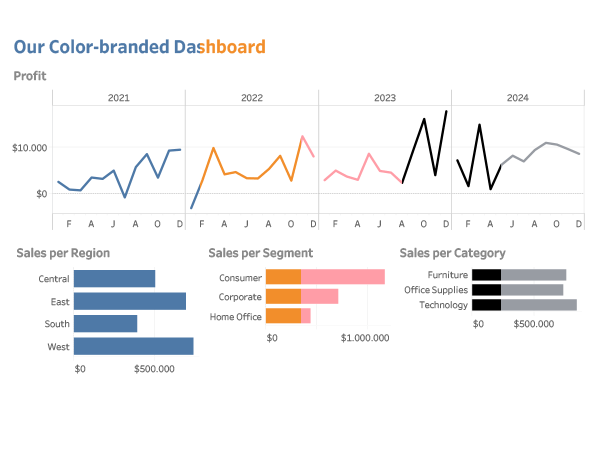
What is you have just finished your dashboard, and your manager/client/voice in you head tells you: I think the color of the charts need to be changed to pink…
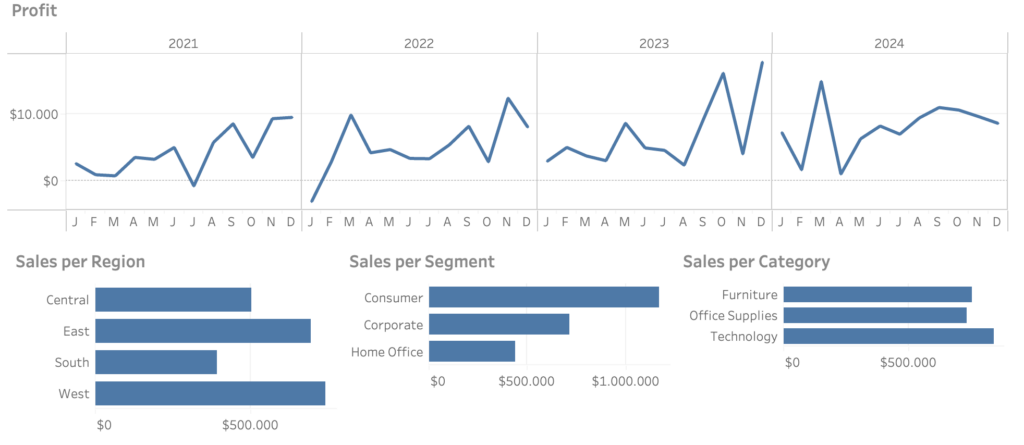
After the initial frustration about the remark (couldn’t you have mentioned this earlier…?) you open the workbook.

Now you need to change the color of each sheet to the same color:

A tedious task, especially if you know in the back of your head this will need to be changed again, and probably again, …
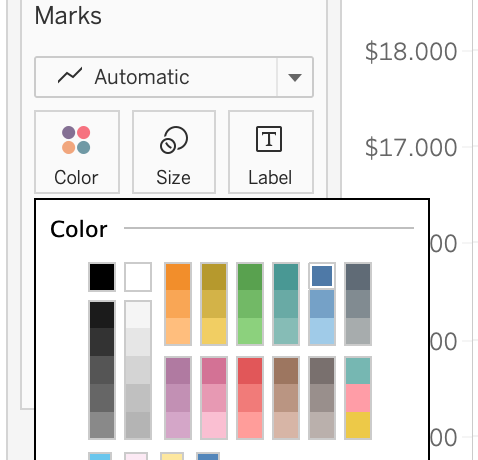
Solution: define a color field

The solution is extremely simple: create a new calculated field with just a single string-value, like this:

Drag this once on the color shelf of every sheet you need to synchronize this color, and select just the exact color you need.
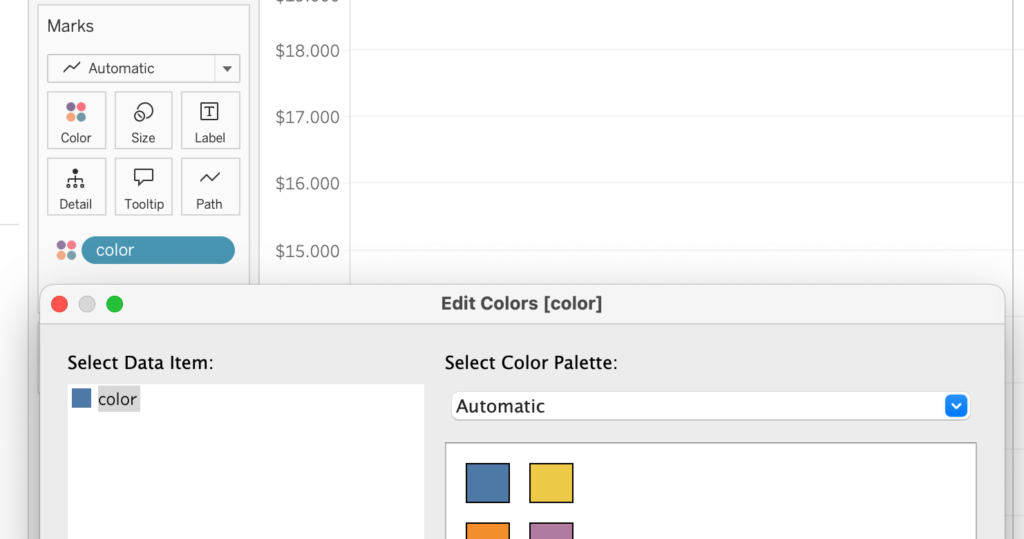
The color will automatically change on each sheet, since Tableau automatically assigns the same color to the same dimension-members:
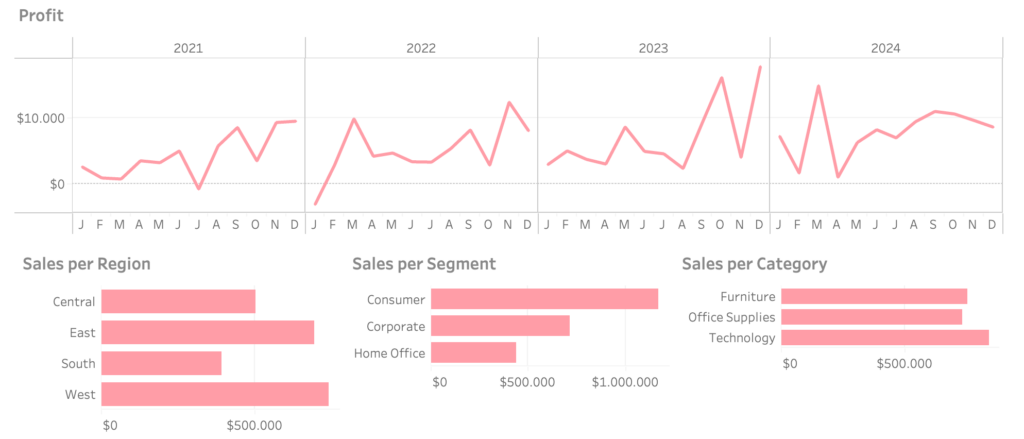
With some more work you can even create a user-selectable color-style!

Tableau

Primary Sidebar

Antichaos Services

  • Need Tableau Help ?
  • Basic, Advanced and Custom Training

Recent Blogposts

  • Smarter dashboard design – with fewer tooltips
  • Top 2000 in Perspective – Behind the Scenes
  • How to Visualize High-Value Metrics in Tableau Without Starting at Zero
  • Why is COUNTD so slow – and how can I fix this?
  • Visualizing ‘Dynamic’ Data using a Sine Wave
  • Add ‘All’ and more options to a Dynamic Parameter
  • Tableau Container Art – 4 examples of formatting dashboards without images
  • Letting Users Choose Their Visual
  • The Tableau VizQL Data Service: What It Is, What It Can Do, and When to Use It
  • Abbreviate long text in Tableau

Antichaos

Copyright © 2026 Antichaos

  • Antichaos
  • Privacy
  • Contact