• Skip to primary navigation
  • Skip to main content
  • Skip to primary sidebar
Antichaos

Antichaos

Data Visualisation, Tableau & Data Services

  • Home
  • Services
    • Data Analysis
    • Training
    • Portfolio
  • Blog
  • About Johan
  • Contact
  • Nederlands
  • Show Search
Hide Search
Home » Blog

Blog

Tableau Container Art – 4 examples of formatting dashboards without images

2025-08-28 by Johan de Groot

Tableau containers don’t exactly have the best reputation. Most people either ignore them or wrestle with them. But once you actually get along with containers (and their friends: borders, background colors, and padding), they turn into your dashboard’s interior designers.

No images were used during the making of these dashboard elements!

In this post, I’ll show you four small but powerful ways to use the Tableau containers to make your dashboards look sharper, cleaner, and maybe even a little more fun.

[Read more…] about Tableau Container Art – 4 examples of formatting dashboards without images

Letting Users Choose Their Visual

2025-07-03 by Johan de Groot

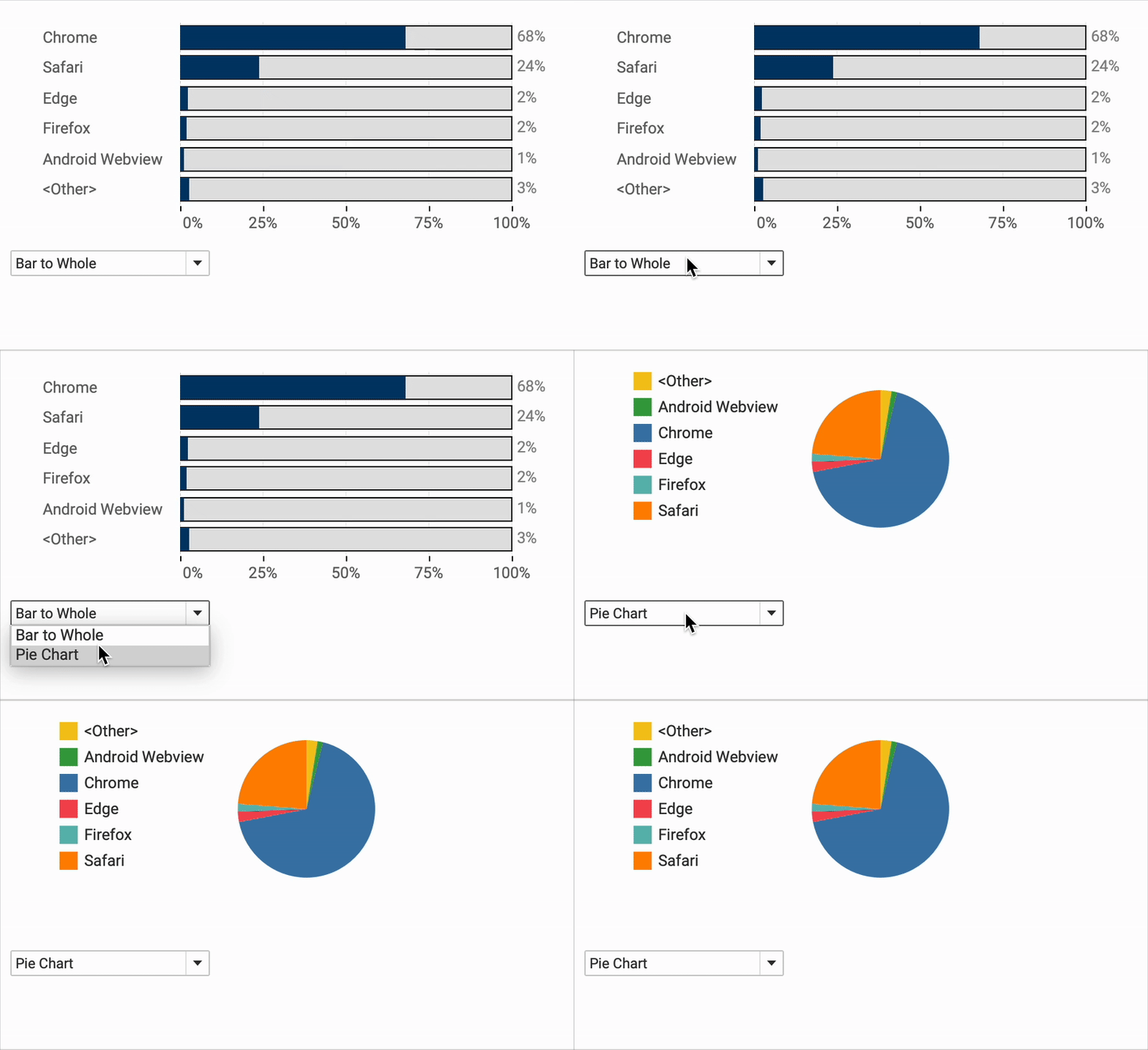
A powerful way of creating flexible, user-friendly dashboards is by letting your users decide how they want to view the data. Instead of forcing them to view at a certain chart type, you can give them the option to chose between different visualizations- bar charts, line charts, etc, or variations on a chart, based on their need, or preference.

[Read more…] about Letting Users Choose Their Visual

The Tableau VizQL Data Service: What It Is, What It Can Do, and When to Use It

2025-06-23 by Johan de Groot

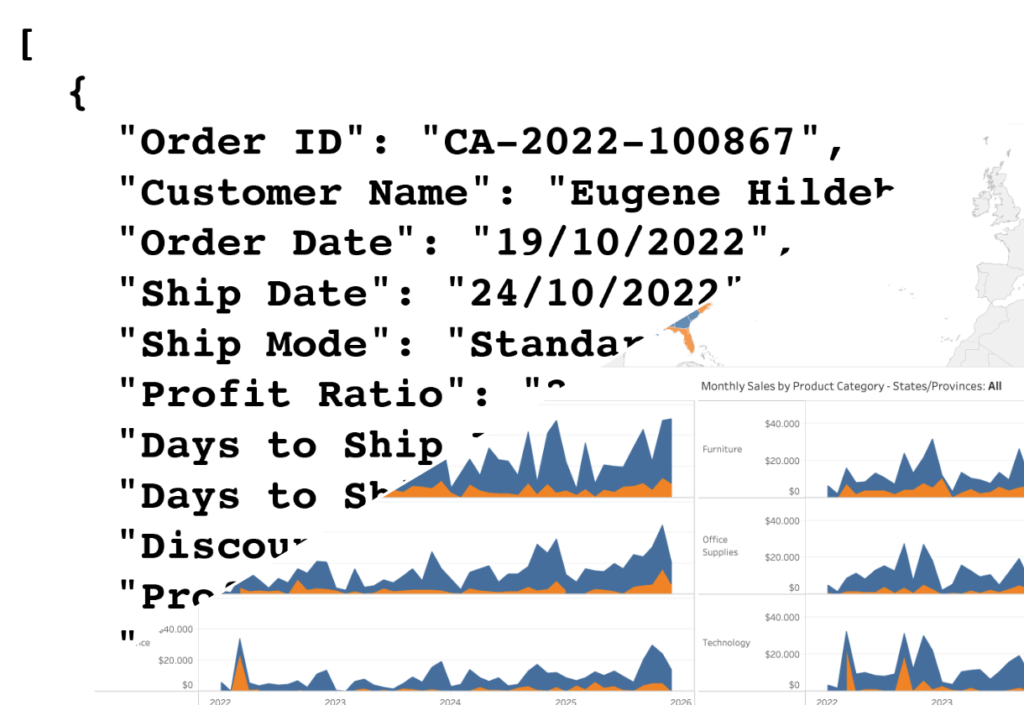
When people think of Tableau, they usually picture dashboards, visualizations, and drag-and-drop analytics. In this traditional setup, users explore data by interacting with dashboards: charts, filters, tooltips, etc. But what if you don’t need the visuals at all—just the data behind them, with all the same calculations, filters, and logic already applied?

VDS: Data instead of Dashboard

That’s where the VizQL Data Service (VDS) comes in.
Rather than returning charts and visuals, it taps into Tableau’s VizQL engine to give you just the data behind any published view.. Instead of clicking through a dashboard, you can get the same data directly—like a spreadsheet or text file—by sending a simple request from another app or script.

In this post, we’ll explore what the VizQL Data Service is, what you can do with it, and how it fits into the broader Tableau ecosystem. A hands-on example is coming soon in a follow-up article!

[Read more…] about The Tableau VizQL Data Service: What It Is, What It Can Do, and When to Use It

Abbreviate long text in Tableau

2025-06-19 by Johan de Groot

When working with text data in Tableau, you’ll often need to clean or reshape strings to better fit your analysis or visual presentation.

Abbreviating text is a common challenge when designing dashboards, reports, or any interface where space is limited. Whether you’re working with long product names, category labels, or freeform text fields, overly long strings can clutter layout and make visualizations harder to read.

[Read more…] about Abbreviate long text in Tableau

Two Pie Chart Alternatives

2025-06-12 by Johan de Groot

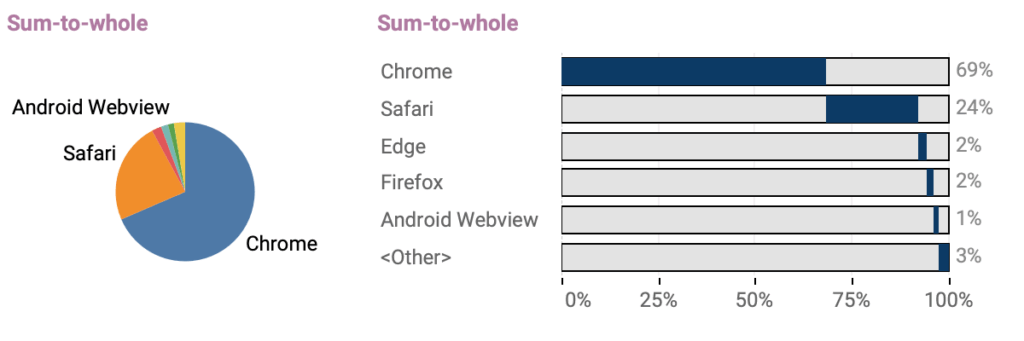
Pie charts — they seem to be everywhere. They show up in presentations, reports, and in every stockphoto about business meetings.

They’re colorful, round, and look super friendly… but despite being one of the most popular chart types, they’re also one of the most frustrating to actually read.

[Read more…] about Two Pie Chart Alternatives

The Case for Clearer Parameter Labels in Tableau

2025-06-05 by Johan de Groot

Parameters are a powerful feature in Tableau — they enable dynamic controls, what-if scenarios, and interactive dashboards. But when it comes to usability, they often fall short, especially in how values are displayed to end users.

By default, parameter values are raw numbers, which can be hard to interpret by users. Whether you’re showing date ranges, filter types, or word lengths, poorly labeled parameters can make a dashboard feel clunky and inaccessible. In this post, I’ll show you a simple way to make a slider-parameter clearer, more intuitive, and more user-friendly.

[Read more…] about The Case for Clearer Parameter Labels in Tableau

Show/Hide – but better

2025-05-29 by Johan de Groot

The default Show/Hide button in Tableau offers a quick way to toggle dashboard elements, but it comes with limitations—especially when dealing with larger components like full-screen visualizations or help panels that can obscure the toggle itself.

In this guide, I show a smarter approach using Dynamic Zone Visibility and Parameter Actions. By setting up separate “show” and “hide” buttons, you gain full control over what appears and when, all without compromising the user experience. This reasults in a cleaner layout and/or more intuitive interactions, this method provides a flexible, user-friendly alternative to Tableau’s built-in toggle.

[Read more…] about Show/Hide – but better

Responsive Labels – Smarter, Cleaner Dashboards

2025-05-22 by Johan de Groot

Data Visualization is about visualizing data the right way.

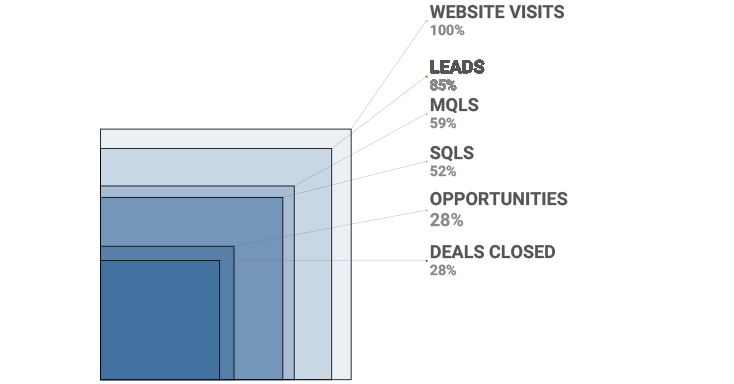
Interactive business dashboards tend to have a special challenge: the must display data with accurate labels, regardless of how the data changes from day to day. Many infographics visualizations are using static data – and therefor the labels can be put on the most convenient location. But what happens when the data changes – either due to new data, or filtering? Labels will overlap, disappear, and/or get mixed up.

The funnel chart is one type of visualization that’s especially prone to this, even with just a few data marks. While working on one, I came up with a solution to keep all the labels nice and clear, no matter what the data throws at it. Bonus: it’s flexible enough for easy customization!

[Read more…] about Responsive Labels – Smarter, Cleaner Dashboards

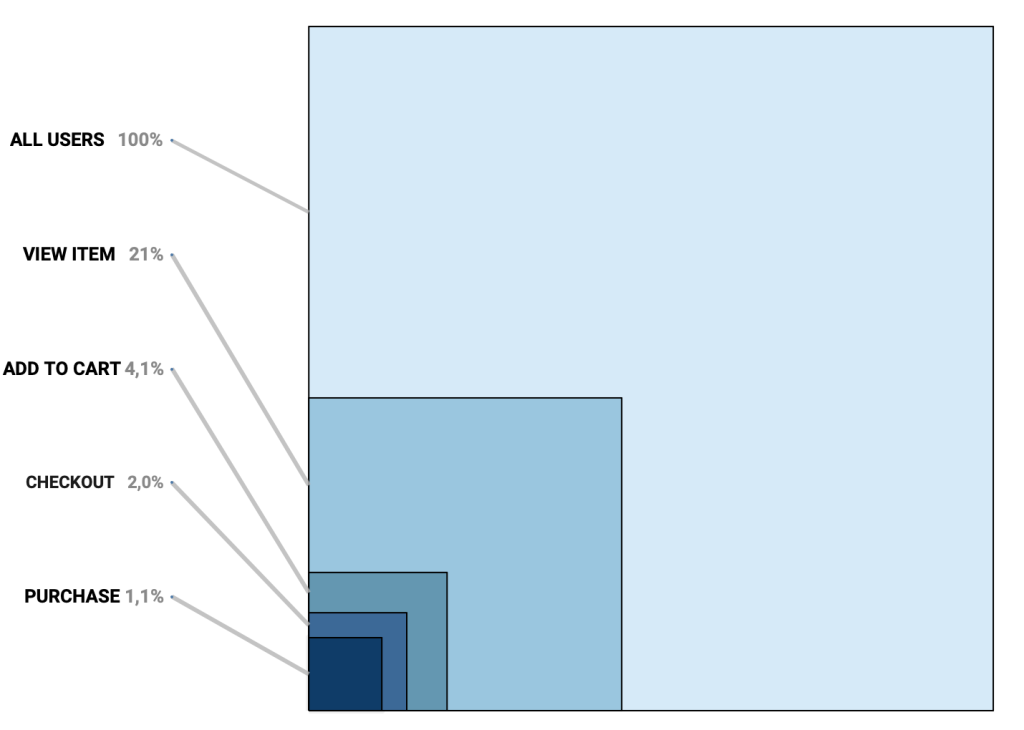
Area Funnel chart in Tableau: Visualizing the Drop-Off

2025-05-15 by Johan de Groot

In the world of digital analytics and customer journeys, not every user makes it to the finish line. Some browse a product, others add it to their cart, but only a fraction complete a purchase. Understanding where users drop off—and how many—can offer crucial insights for optimizing your process. That’s where funnel visualizations come in.

Funnel charts are a powerful way to illustrate step-by-step attrition across a defined process. Whether you’re tracking sales, onboarding, or lead conversions, a funnel view can make complex user behavior immediately digestible. Each stage visually narrows to reflect fewer participants, highlighting friction points and conversion opportunities.

[Read more…] about Area Funnel chart in Tableau: Visualizing the Drop-Off

Change marks on Hover

2025-05-08 by Johan de Groot

Sometime you want to make a dramatic statement – and sometimes you just need a little nudge to help users understand a dashboard.

Tableau makes it really easy to create a minimalist dashboard – and tooltips are a great way to unlock the data behind a mark. Emphasizing the datapoint of the tooltip will make the visualization just a little better. And this is even more important on charts with multiple lines.

[Read more…] about Change marks on Hover

Animated icons in Tableau

2025-05-01 by Johan de Groot

An old but very efficient way to point the attention to a row in a table is to add a small text-based icon in front of it. A subtle dot in front of a bar can help you tell the story of data.
But you might want to use less-subtle ways to highlight data?

Animation is such a way – and can even add some more fun to a dashboard. In Tableau, this is really easy to accomplish using Image Roles.

[Read more…] about Animated icons in Tableau

Fetch API data real-time in Tableau

2025-04-10 by Johan de Groot

Getting data from external APIs into Tableau often involves several workarounds —manual extracts, middle-ware scripts, or writing to a database. This isn’t bad per se, but if you just want real time data from an API, Table Extensions are a clean and direct solution.

Table Extensions allow you to connect Tableau directly to external data sources like APIs using Python, R, or other analytics engines. This means you can fetch live data—whether it’s weather updates, currency exchange rates, or stock prices—and use it as if it were a regular data source in Tableau.

In this post, I’ll walk you through how to set up your first Table Extension, use Python to pull live data (without storing anything), and explore the benefits and best practices of using this approach—especially when working with real-time or short-lived data.

[Read more…] about Fetch API data real-time in Tableau

Easy Custom Formatting in Tableau

2025-04-03 by Johan de Groot

Formatting matters.
Inconsistent formatting in your Tableau visualizations can will confuse your audience and make your dashboard look unpolished.

A well-structured dashboard is not just about the right data—it’s about making that data easy to read and interpret. Inconsistent date formats, poorly formatted numbers, percentages, and currency values can make your insights less clear. Especially in tables.

In this post, I’ll walk you through essential but simple formatting techniques in Tableau, from setting a default date format to custom number formats. You’ll learn how to hide unnecessary zero values, align text for better readability, and use custom formatting to create intuitive and informative visualizations.

[Read more…] about Easy Custom Formatting in Tableau

5 Tableau Desktop Tips

2025-03-27 by Johan de Groot

Tableau is packed with small but powerful features that can make your workflow smoother and more efficient. However, some of these tricks aren’t immediately obvious—even for experienced users.

Whether you’re troubleshooting a calculation, improving collaboration, or just trying to reset your workspace, these tips will help you work smarter in Tableau.

Here are five tips for using Tableau Desktop:

[Read more…] about 5 Tableau Desktop Tips

Extract custom shapes from Tableau workbook

2025-03-20 by Johan de Groot

Ever got a Tableau workbook with shapes you want to re-use, but weren’t able to because you didn’t have the original files?

You can extract the files from the workbook! Either by hand opening the source code, or using my small Python script.

[Read more…] about Extract custom shapes from Tableau workbook
  • « Go to Previous Page
  • Page 1
  • Page 2
  • Page 3
  • Page 4
  • Interim pages omitted …
  • Page 7
  • Go to Next Page »

Primary Sidebar

Antichaos Services

  • Need Tableau Help ?
  • Basic, Advanced and Custom Training

Recent Blogposts

  • MeasureCamp Amsterdam 2026: the power of the blank board
  • Datafam Day 2026 – Amsterdam
  • How to create pill-style navigation in Tableau
  • Tableau Visionary 2026
  • Tableau REST API Connector: Add Live Web Data to Your Dashboards
  • Rounded Corner Maps in Tableau
  • Improving Radar Charts: Showing Overview and Details
  • Create a Radarchart in Tableau – Modular and Simple
  • Radar Charts: Practical tips for when and how to use them
  • Smarter dashboard design – with fewer tooltips

Follow & Connect on

Antichaos

Copyright © 2026 Antichaos

  • Antichaos
  • Privacy
  • Contact