
• Skip to primary navigation
  • Skip to main content
  • Skip to primary sidebar
Antichaos

Antichaos

Data Visualisation, Tableau & Data Services

  • Home
  • Services
    • Data Analysis
    • Training
    • Portfolio
  • Blog
  • About Johan
  • Contact
  • Nederlands
  • Show Search
Hide Search

Tableau Tips

5 more Tableau Desktop Tips: Fields, Calculations & Pills

2026-07-01 by Johan de Groot

After year in Tableau Desktop, I sometimes forget the minor features that make the program so powerful. They’re the small moves: searching data fields, creating calculations on the fly, editing pills – that you do dozens of times a day without thinking.

Half of these tips I only realized were worth writing down because someone stopped me mid-explanation while I was teaching and asked “Wait. How did you just do that?”
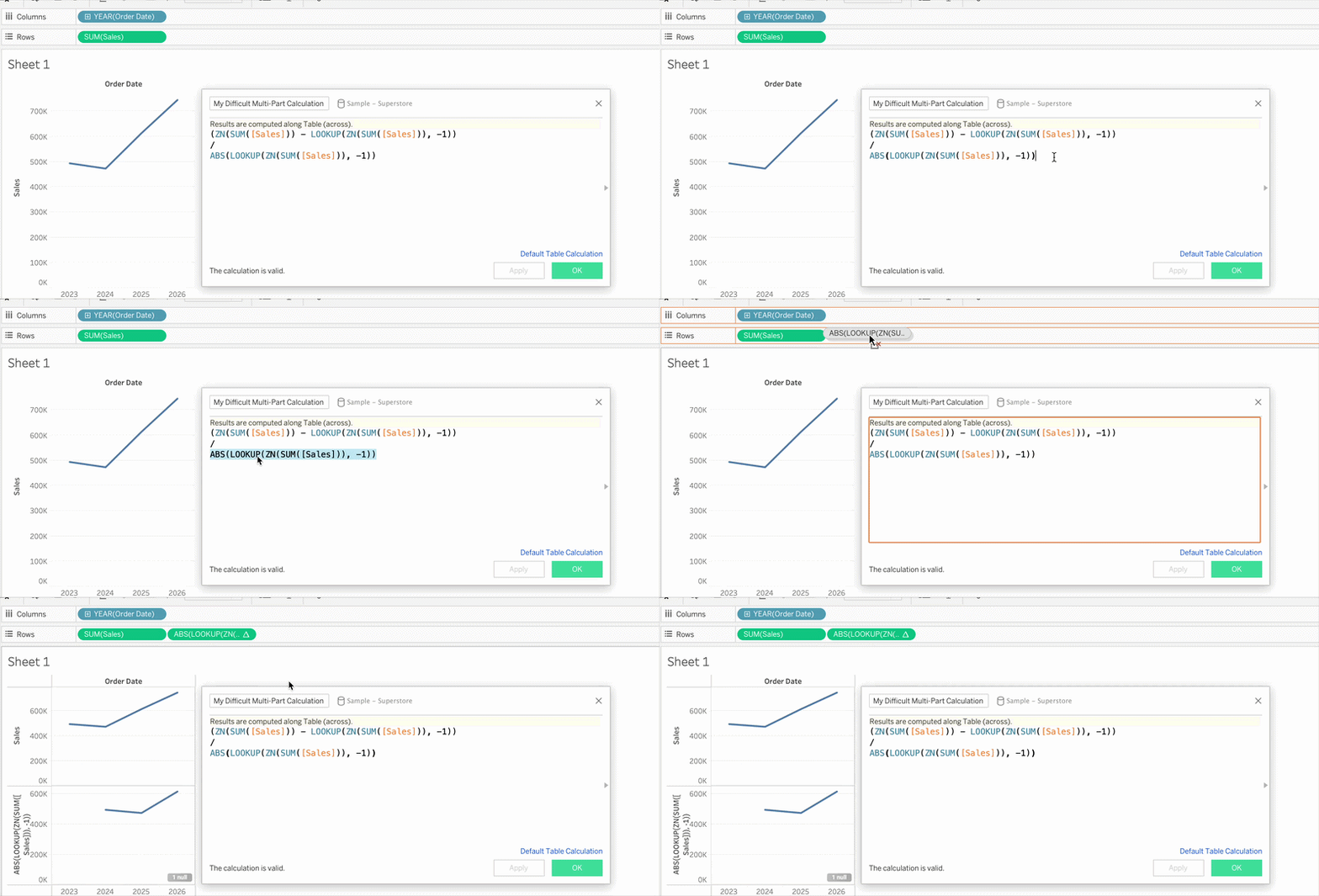
“How did you just do that?“

After the first round went down well, here are five more, this time all centered on fields, calculations, and pills.

Missed the first batch? Start with the first five Tableau Desktop tips.

[Read more…] about 5 more Tableau Desktop Tips: Fields, Calculations & Pills
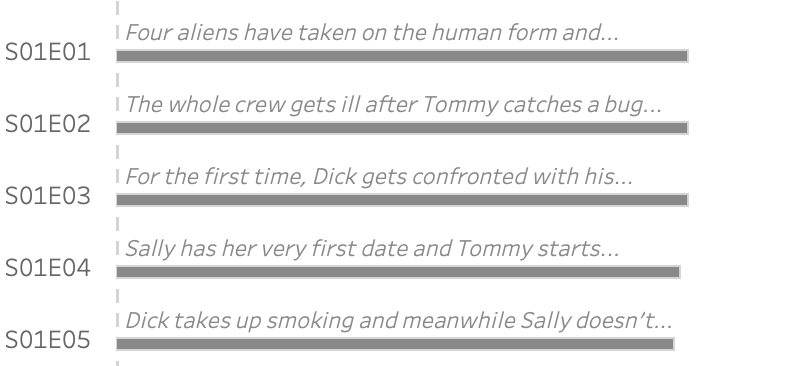

Abbreviate long text in Tableau

2025-06-19 by Johan de Groot

When working with text data in Tableau, you’ll often need to clean or reshape strings to better fit your analysis or visual presentation.

Abbreviating text is a common challenge when designing dashboards, reports, or any interface where space is limited. Whether you’re working with long product names, category labels, or freeform text fields, overly long strings can clutter layout and make visualizations harder to read.

[Read more…] about Abbreviate long text in Tableau

Show/Hide – but better

2025-05-29 by Johan de Groot

The default Show/Hide button in Tableau offers a quick way to toggle dashboard elements, but it comes with limitations—especially when dealing with larger components like full-screen visualizations or help panels that can obscure the toggle itself.

In this guide, I show a smarter approach using Dynamic Zone Visibility and Parameter Actions. By setting up separate “show” and “hide” buttons, you gain full control over what appears and when, all without compromising the user experience. This reasults in a cleaner layout and/or more intuitive interactions, this method provides a flexible, user-friendly alternative to Tableau’s built-in toggle.

[Read more…] about Show/Hide – but better

5 Tableau Desktop Tips

2025-03-27 by Johan de Groot

Tableau is packed with small but powerful features that can make your workflow smoother and more efficient. However, some of these tricks aren’t immediately obvious—even for experienced users.

Whether you’re troubleshooting a calculation, improving collaboration, or just trying to reset your workspace, these tips will help you work smarter in Tableau.

Here are five tips for using Tableau Desktop:

[Read more…] about 5 Tableau Desktop Tips

Primary Sidebar

Antichaos Services

  • Need Tableau Help ?
  • Basic, Advanced and Custom Training

Recent Blogposts

  • The Tally extension: CountTo renewed
  • 5 more Tableau Desktop Tips: Fields, Calculations & Pills
  • MeasureCamp Amsterdam 2026: the power of the blank board
  • Datafam Day 2026 – Amsterdam
  • How to create pill-style navigation in Tableau
  • Tableau Visionary 2026
  • Tableau REST API Connector: Add Live Web Data to Your Dashboards
  • Rounded Corner Maps in Tableau
  • Improving Radar Charts: Showing Overview and Details
  • Create a Radarchart in Tableau – Modular and Simple

Follow & Connect on

Antichaos

Copyright © 2026 Antichaos

  • Antichaos
  • Privacy
  • Contact