
Introducing Latch, a free Tableau extension that turns a parameter into a control people recognize.
Probably every Tableau developer knows the feeling. You just created a beautiful dashboard with some nifty interactive elements and filters, stylized and all. Then you add the parameter that ties the interactivity together, and all you can choose are some small gray controls from the Windows 3.1 era, with very few formatting options.
And the dashboard users? Many don’t even notice the control, or don’t know what it does.
That is where Latch comes in.
A real switch, a recognizable control
Latch is a dashboard extension that drives one parameter through a real control. Use a toggle switch for on or off. Or a row of buttons for a handful of choices. An easier date input, a usable slider or stepper for a number.
The extension has a lot of options, but the defaults already look good. Eight control styles, and the switch alone comes in twelve designs: from a clean iOS-style pill to a robust rocker. You set the color, size, font, labels and alignment, and the dialog shows a live preview as you go.
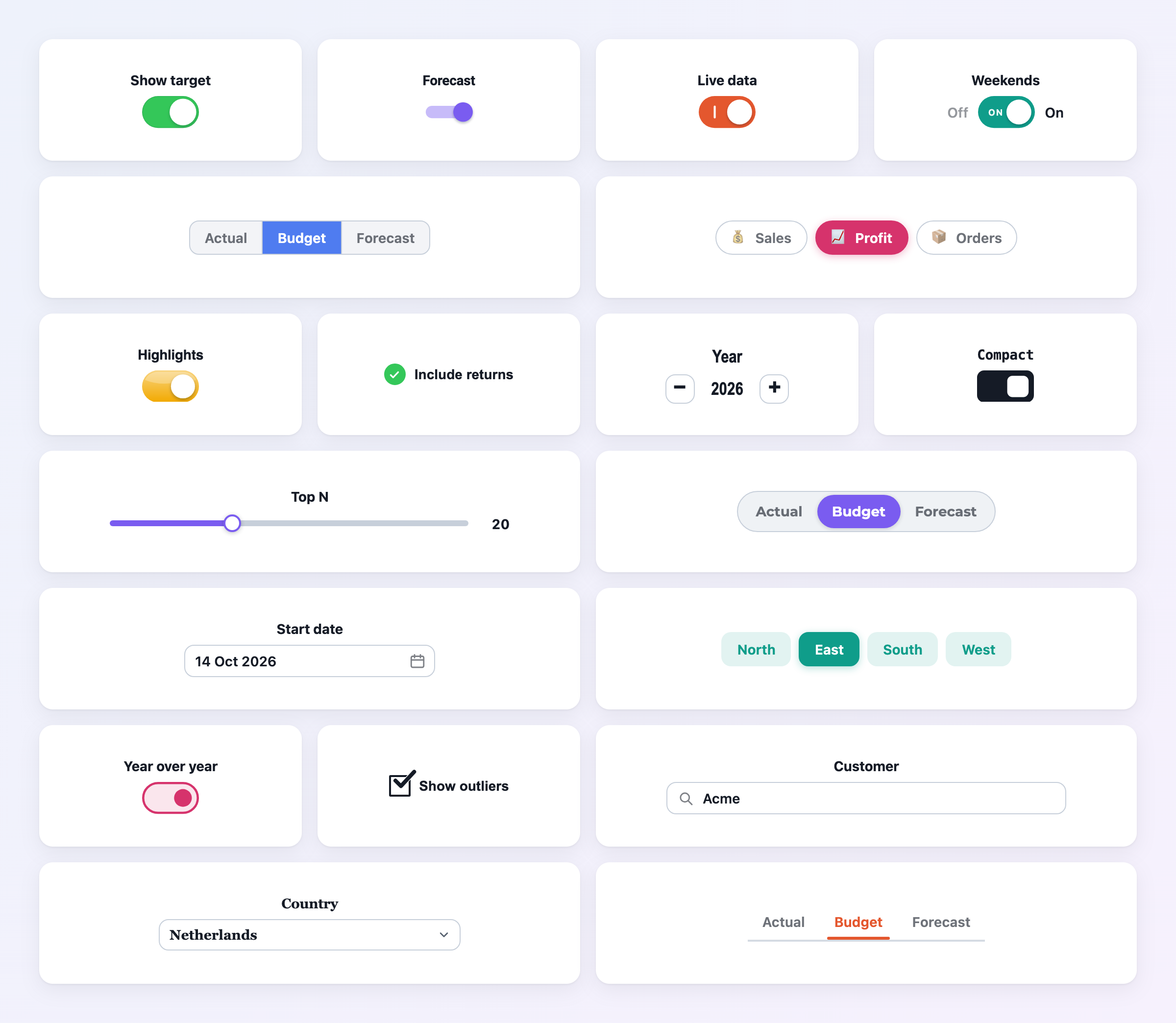
What makes it different
A toggle on a Tableau dashboard is not new – the Single Checkbox Parameters extension has been valuable for years. But my clients needed more: a toggle in their own style, buttons for a list, an easy-to-use date input.
Since the first version in August, Latch has already grown significantly: dates, fonts, number formats, a new configuration dialog. And with version 1.3 you can style a Latch on your dashboard, copy its look, and paste it into the others – style, colors, sizes and fonts travel, while each Latch keeps its own parameter and labels.

Suggestions are welcome. Most of Latch’s features started as somebody’s “could it also…?”. So let me know if you have some ideas!
Why use an extension?
Within the Tableau community, many people are hesitant to use extensions – partly for good reasons. You are adding code from someone else to a dashboard your organization relies on every day. Is this data safe – and will it still be around next year?
Dashboard extensions are Tableau’s official way to add functionality to a dashboard. Latch runs entirely in the viewer’s browser and never reads your worksheet data. The Tableau admin (Server or Cloud) stays in control of which extensions may run, and I plan to keep Latch running for a very long time. More details can be found on the Trust and security page.
Free, and staying free
Latch is free – every feature, no badge, no key. Download the .trex, drop it on your dashboard, done.
Using Latch at work? A yearly support license is the easiest way to back its development. Your organization gets a proper invoice, your questions get answered first, and you get a stronger say in what Latch learns next. Every feature stays free for everyone.
Need it on your own servers? An on-premise (self-hosted) build is available on request.
Try it here
This demo runs the real Latch extension – the same code, just outside Tableau. Pick a control and try it.
Try it in your dashboard
Go straight to the Latch page to download it. It takes about a minute to add to a dashboard – and your parameters will finally look like part of it.
Latch is part of a much larger family of Antichaos extensions, all built with the same care and the same small details. More will be released (very) soon; follow me on LinkedIn to stay up to date.