
Tableau has changed a lot over the years, but many dashboards are still built the way we learned it a decade ago.
In so many client workbooks and training sessions I keep seeing the same old habits that were once the only way to get the job done, but have long since been replaced by something faster, simpler or more robust.
Here are five habits worth breaking, and what to do instead.
1. Formatting each title separately on a dashboard
Clicking into every title, selecting the text, picking the font, size and colour, then doing it again for the next one.
‘Format’ > ‘Dashboard’ sets the fonts and colours for all dashboard and worksheet titles in one go!
Yes, one day soon an AI agent will probably tidy up your dashboard formatting for you. Until then, this menu has been quietly doing the job for years.
2. Editing tooltips sheet by sheet
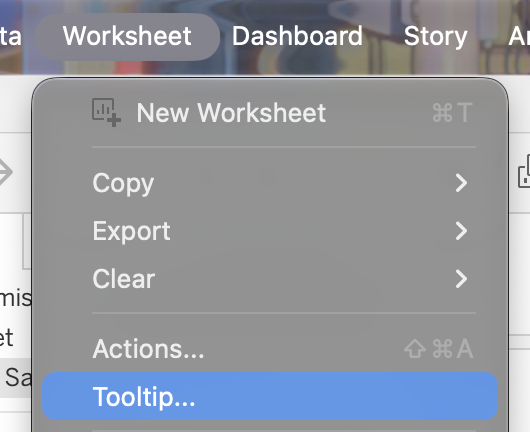
Your dashboard is almost finished – you “just” need to tweak all tooltips on all sheets.
There is no need to open each sheet individually – just click on the sheet in the dashboard, and select ‘Worksheet > Tooltip’ from the menu. Easy and efficient.
3. Blanks in your dashboard
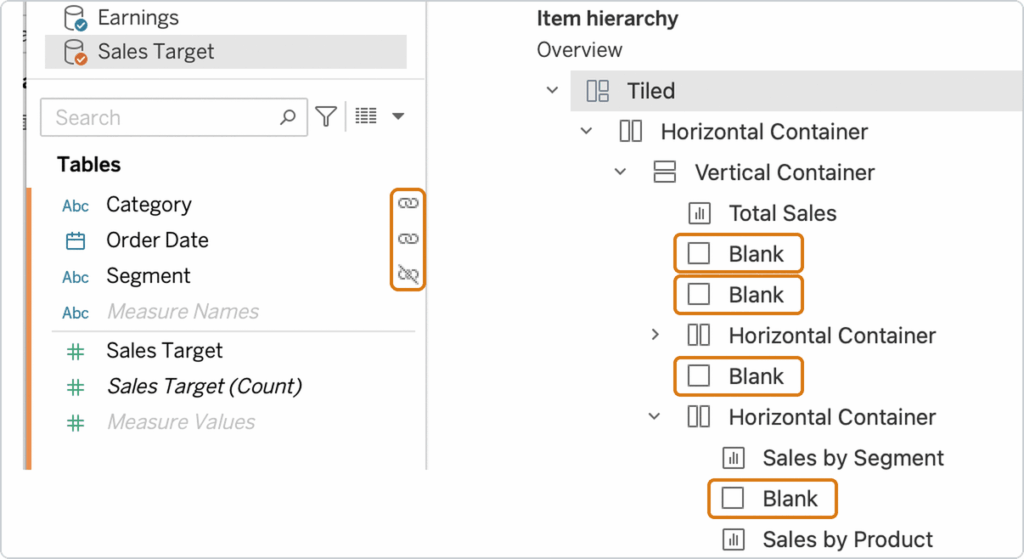
So many dashboards are still built using blank objects to create white space. It does work – until it doesn’t: they usually shift as the dashboard is resized, or a container changes. They make the layout harder to maintain for whoever opens the workbook next (often you, six months later).
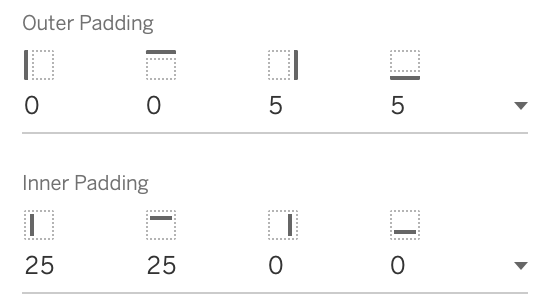
Use padding instead.
Every dashboard object and container has padding in the Layout pane, so you can set the spacing around it exactly where you want it. Learn the difference between inner and outer padding – and start loving how they work. Combine it with ‘Distribute Contents Evenly’ on containers, to make spacing easy and consistent.
4. Using shapes as table headers
Using shapes to illustrate your columns and rows? It takes quite some time to build the sheet with the shapes, and ‘sync’ this sheet to the data. Making sure filters, sort and changing data don’t mess up the report is a real nightmare.
Using Image Roles is much easier, since the image is part of the data.
5. Blends
Too many dashboards rely on a blend to a different datasource – especially targets. These are a thing from the Tableau-past: they are slow and prone to errors.
Blends are more like an Excel lookup than a real join: the result depends on what is in the current view. Rows that only exist in the blended source drop out, you can’t drill down into the secondary source, and it’s bad for performance.
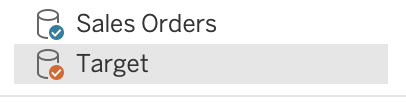
Since 2020.2 (yes, that long!) relationships handle these much better, but too many people are avoiding them.

And since Tableau 2026.2 there is – almost – no reason to avoid them, since every source can be ‘related’ to another one using composable datasources.
None of these habits will break your dashboard. But each one of these will cost you time, performance, flexibility – and add to frustration.
Take a fresh look at your dashboards. The old ones, and the ones you created last week. And watch other people’s bad habits: if a colleague asks you to have a quick look at their dashboard, check the Item Hierarchy, the data pane and the title formatting. Not to criticize, but to create better habits.
More habits to break in a future article!